
「オフィスのPCを新しくしたいけれど、机の上が狭くなるのは嫌だな……」 「やっぱり、場所を取らないノートPCにするしかないか」
社内のPC導入やリプレイスを検討する際、このように「省スペース=ノートPC」という一択で考えていませんか?
確かにノートPCは手軽ですが、「画面が小さくて肩が凝る」「長時間の作業で本体が熱くなり、動作が重くなる」「後からメモリを増やしたくてもできない」といった、業務上のちょっとしたストレスや限界を感じることも多いのではないでしょうか。
そこで今、目の肥えたIT担当者様や、快適なワークスペースを追求する企業の間で大注目されているのが「ミニデスクトップPC(超小型PC)」です。
「え、デスクトップ?あの大きくて重い箱を置くスペースなんてないよ!」と思われた方、ご安心ください。今のミニデスクトップは、なんと手のひらに乗るほどの極小サイズ。
今回は、ノートPCや従来のタワー型PCの“いいとこ取り”をしたミニデスクトップPCの驚くべき実力と、なぜそれがビジネスを劇的に快適にするのか、その秘密をたっぷりご紹介します。
1. まさかの「手のひらサイズ」!デスクが広々使える圧倒的な省スペース性
ミニデスクトップPCの最大の衝撃は、その圧倒的な小ささです。
代表的なモデル(DELLのOptiPlex MicroシリーズやHPのDesktop Miniなど)は、幅・奥行きともに約18cm前後、厚さはわずか3〜4cm程度。文庫本やコミック本、あるいは少し厚めのシステム手帳とほぼ同じサイズしかありません。重さも1kg前後と、片手でひょいと持ち上げられる軽さです。
「机の上のスペース、実質ゼロ」も夢じゃない
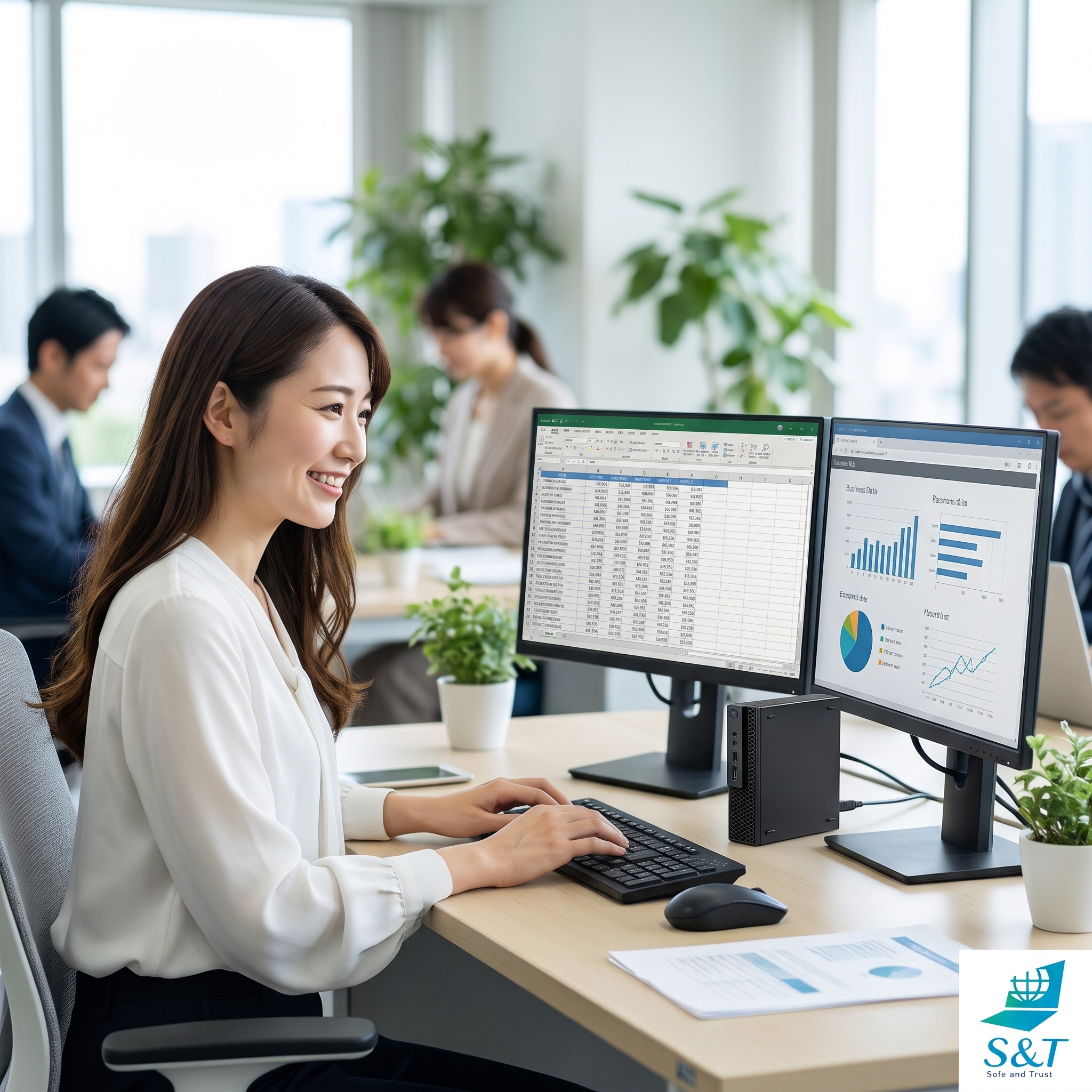
これだけ小さいので、液晶モニターのすぐ横や、スタンドの隙間にちょこんと縦置き・横置きが可能です。 さらに、専用の取り付け器具(VESAマウント)を使えば、液晶モニターの背面に本体を完全に隠して設置することもできます。
こうなると、デスクの上にあるのは「モニター、キーボード、マウス」だけ。 「タワー型PCのせいで足元や机の上が狭い」「ノートPCを置いたら、手元に書類を広げるスペースがない」といった悩みから、完全に解放されます。すっきりとしたデスク環境は、従業員の集中力を高め、作業効率を大幅に向上させてくれます。
2. 小さくても「タワー型」譲り。ノートPC以上の安定動作と高いパフォーマンス
「そんなに小さいなら、性能もおもちゃみたいなものなのでは?」と心配されるかもしれません。しかし、ここがミニデスクトップPCのすごいところです。
実は、ミニデスクトップPCは「ノートPC以上に安定して、パワフルに動く」という隠れた強みを持っています。
熱がこもりにくく、長時間の高負荷でも「重くならない」
ノートPCは、薄い筐体の中にキーボードやバッテリー、液晶画面、そして頭脳であるCPUをギチギチに詰め込んでいるため、どうしても熱がこもりやすい構造になっています。PCは熱が限界に達すると、故障を防ぐために自動的に性能を落とす「サーマルスロットリング」という機能が働き、これが「使っているうちに動作が遅くなる・フリーズする」原因になります。
一方、ミニデスクトップPCは「動かすこと」だけに特化した専用の筐体です。小型ながらも効率的なファンと、風が通り抜ける優れたエアフロー(排熱)設計が施されているため、長時間の事務作業や、複数の重いアプリを同時に立ち上げるマルチタスクでも、熱による速度低下がほとんど起こりません。
また、常にコンセントから安定して電力を供給できるため、省電力優先で制限がかかりがちなノートPCのCPUに比べ、本来のパフォーマンスをフルに発揮することができます。
「Excelの巨大データを扱いながら、Web会議をして、さらにブラウザで調べ物をする」といった、ビジネスの現場でよくあるハードな使い方でも、一日中サクサクと快適に、安定して稼働し続けてくれます。
3. 「長く、快適に使う」ための優れたカスタマイズ性とメンテナンス性
PCを導入する際、将来のスペック不足を見据えて、あらかじめ高価な上位モデルを買っていませんか? ノートPCの場合、一度購入すると内部のパーツを交換・増設することはほぼ不可能なため、「数年後に動作が重くなったら、丸ごと買い替える」しかありません。
しかし、ミニデスクトップPCは「小さなデスクトップPC」。 筐体が小さくても、ドライバー1本で簡単にカバーを開けられ、内部のパーツにアクセスできるモデルがほとんどです。
- メモリの増設: 「最初は8GBで導入したけれど、業務内容が変わって重くなったから16GB(あるいは32GB)に増やそう」といった対応が簡単に行えます。
- ストレージ(SSD)の容量アップ: データの保存量が増えたら、より大容量で高速なSSDに換装することが可能です。
- 内部の掃除: 長年使って内部に溜まった埃も、カバーを開けてサッと吹き飛ばすだけで、冷却性能を新車同様に維持できます。
「必要なときに、必要な分だけパワーアップできる」このカスタマイズ性こそ、PCを5年、6年と長く、そしてコストを抑えて使い続けるための大きなアドバンテージになります。
4. 自分好みの「大画面・快適な入力環境」を自由に組み合わせられる楽しさ
ノートPCは、画面の大きさやキーボードの押し心地、タッチパッドの使いやすさが「最初から決まって」しまっています。
ミニデスクトップPCなら、 「目が疲れにくい、24インチ以上の大きなモニターを使いたい」 「作業効率を2倍にするために、デュアルモニター(2画面)にしたい」 「文字入力が多いから、打鍵感のいいお気に入りのキーボードを使いたい」 といった、使う人の職種や好みに合わせた「最強のワークスペース」を、いくらでも自由に、そして安価に構築できます。
ノートPCのように小さな画面を覗き込んで猫背になることもなく、正しい姿勢でゆったりと仕事ができるため、従業員の疲労軽減(肩こり・腰痛対策)にもつながります。
5. S&Tなら「ミニデスクトップ」のポテンシャルを120%引き出してお届けします!
「ミニデスクトップが素晴らしいのは分かったけれど、どのスペックを選べばいいか分からない」 「メモリやSSDのカスタマイズなんて、社内ではできない……」
そんなときは、ぜひS&Tにお任せください!
S&Tでは、お客様の業務内容やご予算に合わせて、最適なミニデスクトップPCを厳選し、ご提案いたします。
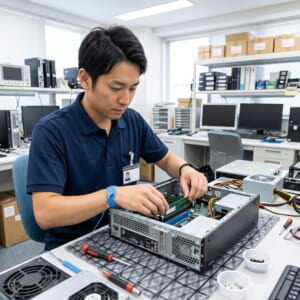
さらに、私たちの強みである自社内での柔軟なカスタマイズ体制を活かし、 「最初からメモリを16GBに増設しておいてほしい」 「データの保存用に、大容量のハイスピードSSDに換装して出荷してほしい」 「Wi-FiやBluetoothが使えるように、専用のUSBドングルをセットにしてほしい」 といった細かなリクエストにも、専任の技術スタッフが自社ワークベンチにて一台一台丁寧に対応し、完全に動作検証を行った状態でお届けします。
もちろん、導入後の機器の売却や、万が一の際のデータ消去(国際規格に則した消去・物理破壊)まで、自社便・自社内で一貫してサポート。
「省スペースで、パワフルで、ずっと長く使えるPC」をお探しの企業様。 この機会に、オフィスの常識を変えるミニデスクトップPCを、S&Tとともに導入してみませんか?
“I want to refresh our office PCs, but I don’t want clutter cramming our desks…”
“I guess our only option for saving space is going with laptops again.”
When it’s time to upgrade or procure new corporate PCs, do you find yourself immediately choosing laptops simply because they “save space”?
While laptops are undeniably convenient, they come with their own set of daily workflow frustrations: cramped screens that lead to bad posture, overheating during long work hours that throttles performance, and the inability to add more RAM when the system starts slowing down.
Enter the “Mini Desktop PC” (or ultra-small form factor PC), which is rapidly becoming the go-to choice for tech-savvy IT managers and companies looking to optimize workspace comfort.
If the word “desktop” conjures up images of giant, heavy, cable-clogged towers, don’t worry. Today’s mini desktops are small enough to fit in the palm of your hand.
In this article, we’ll explore how these pint-sized powerhouses offer the absolute best of both worlds—combining the mobility-friendly footprint of a laptop with the robust, upgradable performance of a traditional desktop—and how they can make your daily business operations vastly more comfortable and efficient.
1. Literally “Palm-Sized”! Reclaim Your Workspace with Extreme Compactness
The most immediate “wow” factor of a mini desktop PC is its incredibly tiny footprint.
Popular enterprise models (such as DELL’s OptiPlex Micro or HP’s Desktop Mini series) measure roughly 18 cm (7 inches) wide and deep, and are only about 3 to 4 cm (1.5 inches) thick. That’s barely larger than a paperback book or a standard planner, and they weigh in at around 1 kg (2.2 lbs)—easy to lift with just one hand.
Achieve a “Zero-Footprint” Desk
Because they are so compact, they can tuck horizontally or vertically right next to a monitor or slide into tiny gaps on a riser. Even better: by using a standard VESA mount, you can attach the PC directly to the back of your monitor, hiding it entirely from view.
With the PC mounted behind the screen, the only things on your desk are the monitor, keyboard, and mouse. Say goodbye to the days of cramped under-desk legroom and desks so cluttered with hardware that you don’t even have room to open a paper document. A clean, spacious desk improves employee focus and significantly boosts daily productivity.
2. Tiny But Mighty: Why They Run Faster and More Reliably Than Laptops
You might wonder, “With a chassis that small, is the performance just a toy?” Absolutely not. In fact, this is where the mini desktop truly shines.
Despite their size, mini desktops run with greater sustained stability and power than most laptops.
Excellent Heat Dissipation Prevents Performance Throttle
Laptops pack a keyboard, battery, screen, and CPU into an extremely thin, airtight enclosure, making them highly susceptible to heat buildup. When a laptop gets too hot, it engages “thermal throttling”—automatically slowing down the CPU to prevent damage, which users experience as sudden sluggishness or freezing.
A mini desktop, however, is a dedicated machine designed purely for computing. Even though it is small, it features efficient, active cooling fans and a well-engineered airflow chassis. This allows the system to exhaust heat efficiently, ensuring that the PC never lags or slows down—even during long workdays or intensive multitasking.
Moreover, because they plug directly into a wall outlet, mini desktops aren’t held back by the power-saving limitations that often throttle laptop CPUs. They run at full, unrestricted performance all day long.
Whether you’re managing massive Excel spreadsheets, hosting a video conference, or running multiple browser windows simultaneously, these tiny machines keep up with the heaviest office workflows without breaking a sweat.
3. Highly Upgradable and Easy to Maintain for Long-Term Value
When buying new computers, companies often overspend on expensive, high-spec models just to “future-proof” them. With laptops, once you buy them, they are almost impossible to upgrade. When they start lagging a few years down the line, your only option is to replace the whole unit.
But a mini desktop is, at its heart, a real desktop. Most models allow you to open the case with a single screwdriver, giving you direct access to the internal components.
- RAM Upgrades: If your team’s workflow changes and 8GB is no longer cutting it, you can easily slide in an extra stick to upgrade to 16GB or 32GB.
- Storage (SSD) Expansion: If your files are growing, you can swap in a larger, faster SSD.
- Easy Internal Cleaning: Dust buildup can cause overheating over the years, but with a mini desktop, you can easily pop open the cover and blow the dust away, keeping the system running like new.
This ability to “upgrade only what you need, when you need it” is a massive advantage that allows businesses to comfortably use these machines for 5, 6, or more years while keeping long-term IT costs to an absolute minimum.
4. Total Freedom to Build Your Perfect Screen and Input Setup
With a laptop, you’re locked into whatever screen size, keyboard, and trackpad the manufacturer gave you.
With a mini desktop, you are completely free to build the ultimate, ergonomic workspace that fits each employee’s needs:
- Connect to a large, eye-friendly 24-inch (or larger) monitor.
- Run a dual-monitor (2-screen) setup to double multitasking efficiency.
- Use a high-quality, tactile keyboard that makes typing effortless.
This flexibility prevents the “laptop hunch” (where users constantly lean forward to look at tiny screens), promoting better posture and reducing fatigue, shoulder pain, and eyestrain across your team.
5. Let S&T Unleash 120% of Your Mini Desktop’s Potential!
“I can see why mini desktops are great, but I don’t know which specs to choose.”
“Our team doesn’t have the time or expertise to configure RAM and SSD upgrades ourselves.”
If this sounds like you, S&T has you covered!
At S&T, we consult with you to understand your specific workflow and budget, and then hand-select the perfect mini desktop models for your business.
Leveraging our highly flexible, in-house customization team, we can handle all your custom needs before delivery:
- Upgrading the memory to 16GB or 32GB right out of the box.
- Swapping in high-speed, large-capacity SSDs for heavy data storage.
- Equipping the units with Wi-Fi and Bluetooth USB adapters so they’re completely wireless-ready.
Our dedicated technicians handle every upgrade by hand on our specialized ESD-safe workbenches, thoroughly verifying the hardware to ensure it’s 100% stable before it ever reaches your office.
Best of all, we support you through the entire lifecycle—from secure delivery to eventual trade-in and certified, international-standard data erasure and physical destruction.
If you’re looking for a PC that is incredibly space-saving, highly powerful, and built to last, it’s time to rethink the office desktop. Let S&T help you make the switch to mini desktops today!




コメント